
Micrometers: Accuracy, Resolution, Types, Price, Reading Method, Measuring Range, Working Principle, Solar Measurements, Calibration, Error Sources
Micrometers are precision instruments that measure very small thicknesses and dimensions, typically down to thousandths of a millimeter. Key aspects include resolution, accuracy, price, types, measuring range, reading method, solar measurements, working principle, error sources, and calibration. A micrometer works by turning a calibrated screw so that its spindle closes on an object, and the reading comes from the scale on the barrel and thimble. In solar panels, you use these tools to check the thickness of silicon wafers, glass, frames, and protective coatings, since small deviations can affect strength and electrical output. For a project such as Washington DC solar, consistent measurements of panel components help confirm that materials match the specified tolerances. This article goes on to explain solar measurements, resolution, accuracy, the main types of micrometers, and typical price ranges.
Key Takeaways
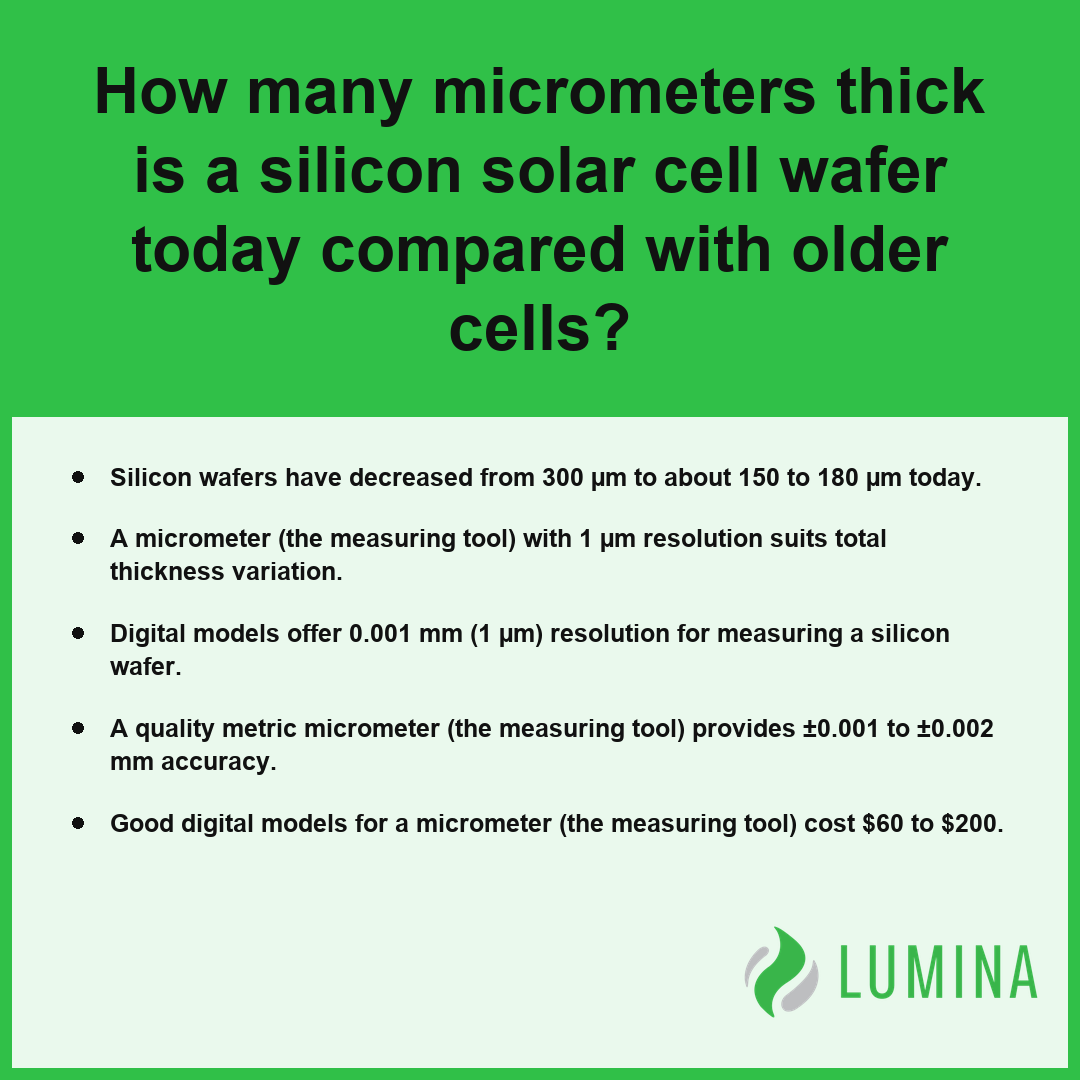
- Silicon wafers have decreased from 300 µm to about 150 to 180 µm today.
- A micrometer (the measuring tool) with 1 µm resolution suits total thickness variation.
- Digital models offer 0.001 mm (1 µm) resolution for measuring a silicon wafer.
- A quality metric micrometer (the measuring tool) provides ±0.001 to ±0.002 mm accuracy.
- Good digital models for a micrometer (the measuring tool) cost $60 to $200.
How Thick Is a Silicon Wafer in Micrometers Today Compared With Older Cells?
You will find that the thickness of a silicon wafer today has been reduced to about 150 to 180 micrometer (µm, the length unit), down from the roughly 300 micrometer (µm, the length unit) thickness used in older cells. According to the National Renewable Energy Laboratory, standard commercial monocrystalline silicon wafers have transitioned from thicknesses of approximately 300 micrometers in the early 2000s to a current industry-standard range of 150 to 180 micrometers.
Silicon Wafer Thickness Evolution (µm)
Older Cell Wafers at Roughly 300 µm
Older cell wafers at roughly 300 µm represent the industry baseline from previous decades, a thickness that provided structural rigidity during the handling and assembly processes of that time. Because silicon is a brittle material, the historical use of thicker substrates helped minimize breakage rates on automated assembly lines. When you use an outside micrometer on these vintage components, the thimble and screw mechanism provide a consistent measurement, as the material resists deflection under the 5-10 N force applied by the ratchet.
Current Wafers at About 150 to 180 µm
Current wafers at about 150 to 180 µm reflect the modern manufacturing transition toward thinner substrates to reduce material costs and improve electron collection efficiency. This shift requires higher precision when using micrometers (the measuring tool) to verify that the thinner silicon maintains its integrity.
Reading a Wafer With an Outside Micrometer
When you measure a silicon wafer, you must ensure the spindle contacts the surface perpendicularly to prevent measurement errors. Because one thimble turn moves the spindle 0.5 mm (0.025 inch), even a minor misreading of the scale can lead to significant discrepancies when working with such thin materials.
| Wafer Era | Typical Thickness (micrometer (µm, the length unit)) |
|---|---|
| Older Generation | ~300 |
| Current Generation | 150–180 |
Why Total Thickness Variation Matters on the Production Line?
Total thickness variation matters on the production line because silicon solar cell wafers must remain within a tolerance of about ±10-20 µm to ensure uniform electrical performance and physical stability. If the variation exceeds these bounds, the cell may suffer from internal stress or uneven contact resistance during the lamination process. You should verify your outside micrometer against gauge blocks before beginning any production-run inspections to ensure your accuracy remains within the ±0.001 to ±0.002 mm quality threshold.
Inspect the edges of the silicon wafer separately from the center to confirm that the total thickness variation falls within your designated production tolerances.
Follow these best practices when measuring thin silicon wafers with an outside micrometer:- Apply minimal pressure by using the ratchet stop to prevent cracking the brittle silicon substrate.
- Ensure the wafer surface is clean and free of debris to avoid inaccurate readings caused by surface contaminants.
- Measure at multiple points across the wafer surface to account for potential thickness variations or taper during the sawing process.
- Allow the micrometer and wafer to reach thermal equilibrium before measuring to eliminate errors caused by thermal expansion.
Is 1 µm Digital Resolution in Micrometers Enough for Wafer Thickness Checks?
Yes, 1 µm digital resolution in micrometers is enough for wafer thickness checks because the standard total thickness variation permitted during production often falls within a range of ±10 to 20 µm. Because a quality metric micrometer (the measuring tool) provides an accuracy of ±0.001 to ±0.002 mm, you gain sufficient precision to verify if a silicon wafer meets its target thickness of about 150 to 180 µm. Since the spindle travel per thimble turn is 0.5 mm, you can easily control the measuring force using the ratchet to ensure the silicon wafer does not crack under pressure during the inspection. Per Semiconductor Equipment and Materials International, industry standards for wafer metrology typically require a resolution of 0.1 µm or finer when the goal is to precisely detect micro-cracks and thickness variations that might influence the performance of high-efficiency photovoltaic cells.
Silicon Wafer Metric Comparison (in µm)
| Measurement Parameter | Typical Solar Specification |
|---|---|
| Silicon wafer thickness | 150 to 180 µm |
| Total thickness variation | ±10 to 20 µm |
| Digital micrometer resolution | 0.001 mm (1 µm) |
| Micrometer accuracy | ±0.001 to ±0.002 mm |
You should perform these checks at multiple points across the surface of the silicon wafer to confirm that the total thickness variation remains within the manufacturer’s specified tolerances.
To ensure reliable measurements while protecting the integrity of fragile silicon wafers, follow these handling best practices:- Clean the micrometer anvils with a lint-free cloth before each measurement to prevent surface scratches or debris-induced errors.
- Apply the ratchet stop consistently to maintain a standardized measuring force across all inspection points.
- Place the wafer on a flat, non-abrasive surface during measurements to avoid mechanical stress or bending.
- Document the serial number and calibration expiration date of the micrometer to maintain traceability for quality audits.
Micrometer vs. Caliper Accuracy on Solar Panel Glass Covers and Tab Ribbon
Micrometer (the measuring tool) accuracy provides a distinct advantage over standard calipers when you assess the tolerances of solar glass covers and tab ribbon, as the higher precision of the screw-based design minimizes human error. While a caliper is suitable for quick, approximate checks of a 3.2 mm glass cover, the tight manufacturing tolerances required for tab ribbon often demand the higher resolution of an outside micrometer.
Maximum Error Tolerance (mm)
| Feature | Caliper Accuracy | Micrometer (the measuring tool) Accuracy |
|---|---|---|
| Glass Cover (3.2 mm) | ±0.02 mm to ±0.05 mm | ±0.001 to ±0.002 mm |
| Tab Ribbon Thickness | ±0.05 mm | ±0.001 to ±0.002 mm |
| Measuring Force | Variable (hand pressure) | Consistent (via ratchet) |
Because tab ribbon is thin and easily deformed by excessive force, the ratchet on an outside micrometer ensures that your applied pressure remains consistent across multiple measurements, preventing the ribbon from compressing during the test. Per the National Institute of Standards and Technology, the micrometer’s use of a ratchet stop or friction thimble to maintain constant measuring force significantly lowers the chance of elastic deformation compared to the sliding jaws of a caliper. Calipers lack this feature, which often leads to inconsistent readings if the jaws are clamped too tightly. For glass covers, the high accuracy of a micrometer (the measuring tool) allows you to detect subtle thickness variations that a caliper might miss, which is critical for ensuring proper fit within module frames.
Verify that your measuring force is consistent across the entire length of the tab ribbon to avoid localized deformation readings.
Follow these best practices to ensure measurement consistency and prevent damage when assessing solar components:- Clean both the micrometer anvil and spindle faces with a lint-free cloth before each use to remove debris that could skew precision readings.
- Perform a zero-check against the reference standard to calibrate the micrometer for thermal expansion or mechanical drift.
- Align the ribbon perfectly perpendicular to the spindle face to avoid measuring the diagonal distance, which would produce an inflated thickness value.
- Rotate the ratchet stop only until it clicks three times to ensure the exact clamping force required for thin, deformable materials.
Best Types of Micrometers for Frame Walls, Glass, and Cell Ribbon
The best types of micrometers (the measuring tool) for frame walls, glass, and tab ribbon rely on specialized spindle designs to ensure that force is applied evenly without distorting the material being measured. Because glass covers typically measure 3.2 mm or 2.0 mm, a standard outside micrometer is sufficient, but measuring the delicate silver fingers or the tab ribbon requires tools that can handle thin profiles and prevent surface marring.
| Tool Type | Primary Application | Key Structural Feature | Force/Precision Standard |
|---|---|---|---|
| Outside Micrometer | Glass covers and metal frame walls | Standard flat contact faces | Standardized 25 mm range steps |
| Blade Micrometer | Narrow tab ribbon and recessed frame extrusions | Thin, blade-shaped anvil/spindle | High-clearance access profile |
| Digital Micrometer | Tab ribbon thickness verification | High-resolution digital readout | 0.001 mm resolution; 5-10 N constant force |
| Depth Micrometer | Frame channel depths and component steps | Interchangeable reach rods | Geometry-specific depth measurement |
Micrometer Measurement Values (mm)
- Outside Micrometers: These serve as the primary tool for checking the thickness of glass covers and metal frame walls, typically coming in ranges of 25 mm steps to cover standard panel dimensions.
- Blade Micrometers: You should use these for measuring narrow sections of tab ribbon or the tight clearance areas on frame extrusions, as the thin blade-shaped anvil and spindle reach into recessed spots where standard round faces cannot fit.
- Digital Micrometers: Featuring a resolution of 0.001 mm (1 µm), these are ideal for verifying that your tab ribbon thickness remains within design tolerances, using a ratchet to ensure the exact measuring force of 5-10 N is applied consistently across every point.
- Depth Micrometers: These are effective for measuring the recessed depths of frame channels or the step heights between components within a module assembly, utilizing interchangeable rods to match the reach required for the specific frame geometry. Per American Society for Testing and Materials, specialized micrometer heads are necessary for measuring the depth and thickness of solar panel frame walls to ensure they meet installation hardware tolerances.
Confirm that your tool’s measuring surfaces are clean and free of debris before checking thin components, as even a minor particle can skew your reading by several micrometers (µm, the length unit).
Follow these best practices to ensure measurement accuracy and maintain the integrity of delicate solar components:- Clean both the spindle and anvil faces with a lint-free cloth before every measurement to prevent debris-induced errors.
- Engage the friction thimble or ratchet stop to ensure a constant contact force, avoiding the deformation of soft silver fingers.
- Perform a zero-check against a gauge block before each session to calibrate for thermal expansion or mechanical wear.
- Retract the spindle fully after use to prevent the contact faces from locking or sustaining impact damage during storage.
What Micrometers Cost for Checking Solar Panel Components
What micrometers cost for checking solar panel components depends heavily on the precision required and the type of digital or mechanical readout you choose. Basic mechanical versions typically serve as entry-level tools for general measurements, while high-accuracy models are necessary for verifying components like the silicon wafer. When shopping for these tools, you will find that costs generally scale with the build quality, repeatability, and inclusion of electronic data output features.
| Tool Grade | Primary Application in Solar Manufacturing | Precision Level | Estimated Price Range |
|---|---|---|---|
| Basic Import Mechanical | General frame wall and glass cover spot checks | Standard / Industrial | $15 – $40 |
| Quality Digital | Routine component verification and data logging | Enhanced | $60 – $200 |
| High-Accuracy Specialty | Silicon wafer thickness variation monitoring | ±0.001mm to ±0.002mm | $300 – $800+ |
Micrometer Cost Comparison by Tier
- Basic import mechanical micrometers (the measuring tool): $15 to $40
- Quality digital or name-brand micrometers (the measuring tool): $60 to $200
- High-accuracy or specialty micrometers (the measuring tool): $300 to $800 or more
The total investment for your inspection kit is governed by the measuring range you require, as these tools are usually sold in steps of 25 mm or 1 inch. While a simple mechanical model may suffice for occasional spot checks of frame walls or glass covers, you should budget for the mid-range or professional category if your work demands the ±0.001 to ±0.002 mm accuracy needed to monitor total thickness variation. Per American Society for Quality, production budgets for solar components should include approximate costs for recurring calibration services to ensure that precision instruments remain traceable to national measurement standards. Always keep a set of gauge blocks on hand to verify your tool’s zero point, as mechanical wear can influence accuracy over time regardless of the initial purchase price.
Consider these additional factors that influence the final procurement costs for your inspection equipment:- Calibration Certification: Purchasing tools with ISO/IEC 17025 accredited calibration certificates typically adds a 15–25% premium to the base price.
- Environmental Protection: Models featuring IP65 or higher ratings for coolant and dust resistance are essential for factory-floor longevity but command higher price points.
- Anvil Geometry: Specialized blade, ball, or disk-type anvils required for non-standard solar component geometries are rarely included in standard kits and often require custom pricing.
- Data Connectivity Hardware: Budgeting for proprietary USB or wireless transmitter modules is necessary if you intend to integrate real-time measurement logging into a factory Quality Management System.
Frequently Asked Questions
What micrometer measuring range do I need for a 3.2 mm solar glass cover or 0.2 mm copper ribbon?
You need a micrometer (the measuring tool) with a standard 0 to 25 mm measuring range to accommodate a 3.2 mm glass cover or 0.2 mm tab ribbon. These tools typically come in 25 mm or 1 inch steps, making the 0–25 mm range ideal for checking thin solar components.
How does a micrometer screw and ratchet work to measure thickness in micrometers?
A micrometer (the measuring tool) uses a precision-ground screw where one thimble turn moves the spindle exactly 0.5 mm or 0.025 inch. You must use the ratchet to apply a consistent measuring force of 5 to 10 N, ensuring accurate thickness readings in micrometers (µm, the length unit) without deforming the part.
How do you read a micrometer step by step when measuring solar panel parts?
You read a micrometer (the measuring tool) by first noting the sleeve scale marks, then adding the thimble rotation value, which offers a typical resolution of 0.01 mm. For higher precision, digital models display 0.001 mm (1 µm) directly, allowing you to quickly verify parts like a silicon wafer or tab ribbon.
What mistakes make micrometer readings wrong on solar encapsulant, ribbon, or glass, such as overtightening or hand heat?
Inaccurate readings on solar parts often result from overtightening, which you can prevent by always using the ratchet rather than the thimble to stop the spindle. Additionally, holding the frame with your bare hands transfers heat, causing thermal expansion that corrupts sensitive measurements of encapsulant films or thin tab ribbons.
How often should a micrometer be calibrated, and can it measure fragile solar wafers or nanometer anti-reflective coatings?
You should calibrate a micrometer (the measuring tool) regularly using gauge blocks to maintain accuracy between ±0.001 to ±0.002 mm. While suitable for silicon wafer thickness checks, it cannot measure anti-reflective coatings at 70 to 80 nm, which require a profilometer rather than hand-operated micrometers.